.png?width=250&height=92&name=Reunion_Logo_White%20(1).png)
Step 1: Access the Dashboard
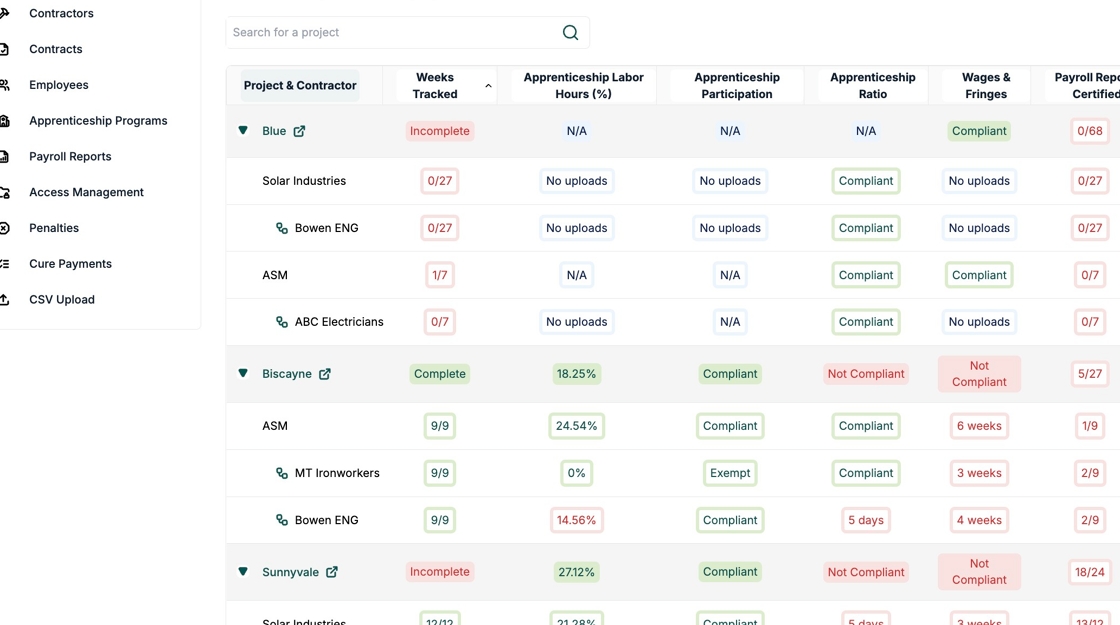
Project & Contractor
What it shows:
-
Project/Contract name
-
Number of contractors reporting under that project/contract
Why it matters: Every contractor (prime + subcontractors) must submit payroll and apprenticeship data.
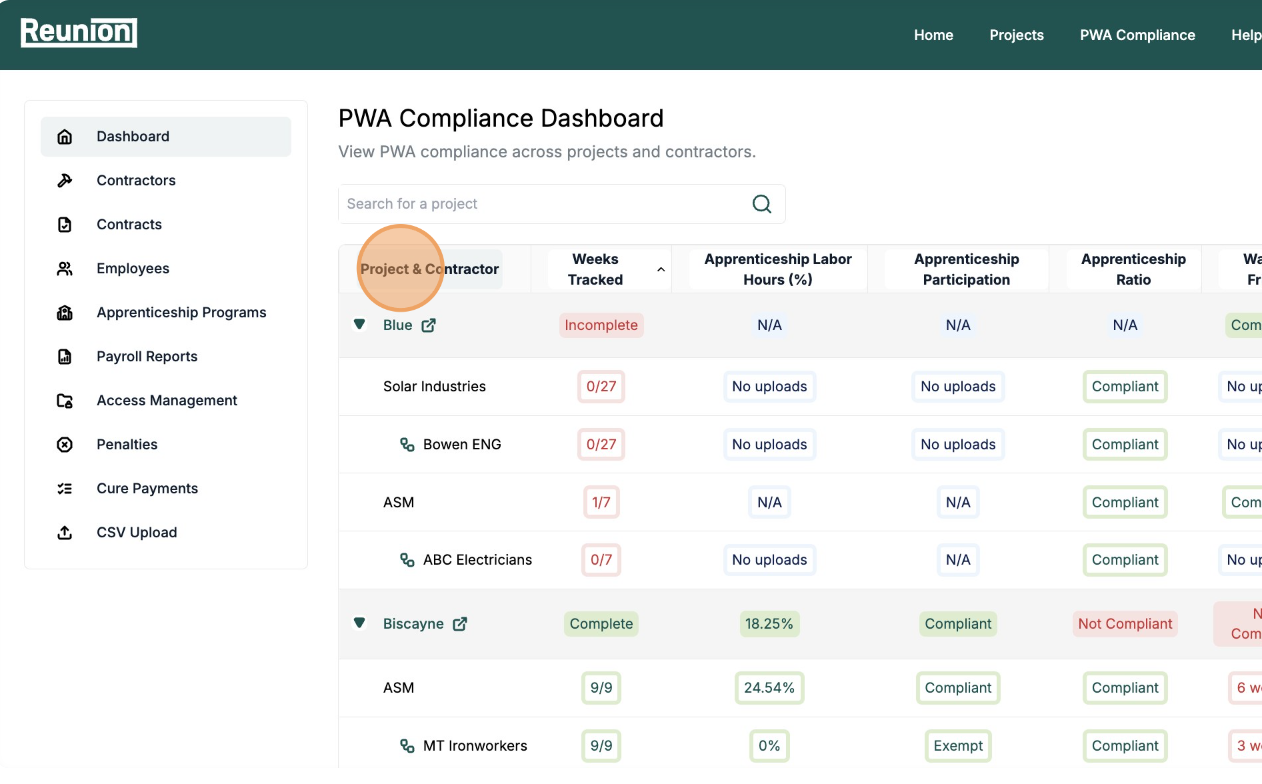
Weeks Tracked
What it shows: How many weeks of certified payroll data are being tracked for this project
Note: The number of weeks tracked is estimated based on the project’s entered start and end dates for construction. Adjusting these dates will update the expected tracking period.
Why it matters: This helps you see how long a project has been active and whether payroll submissions are up to date.
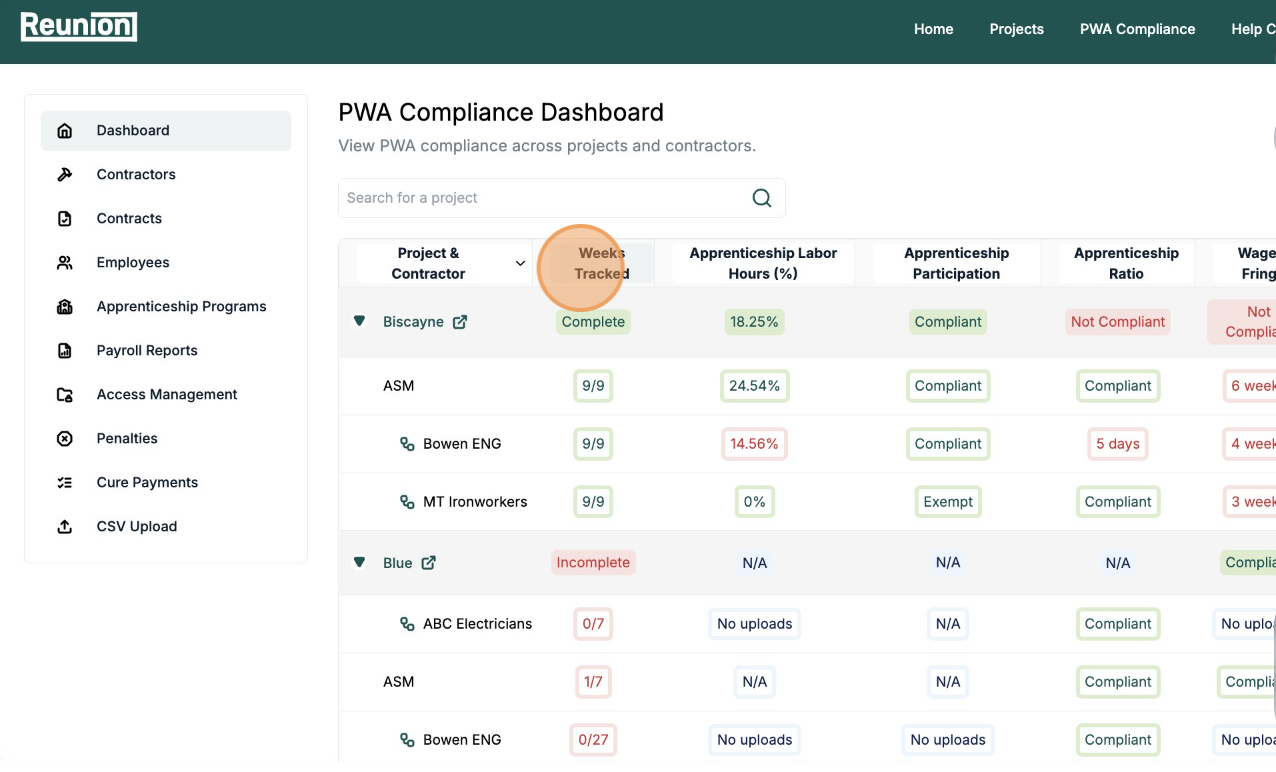
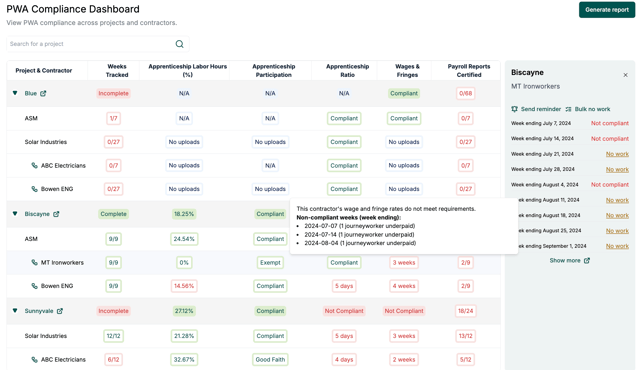
To view detailed week tracking: Click on the week count to display individual weeks on the right side of the dashboard. You can then click into each week to view the associated payroll report.
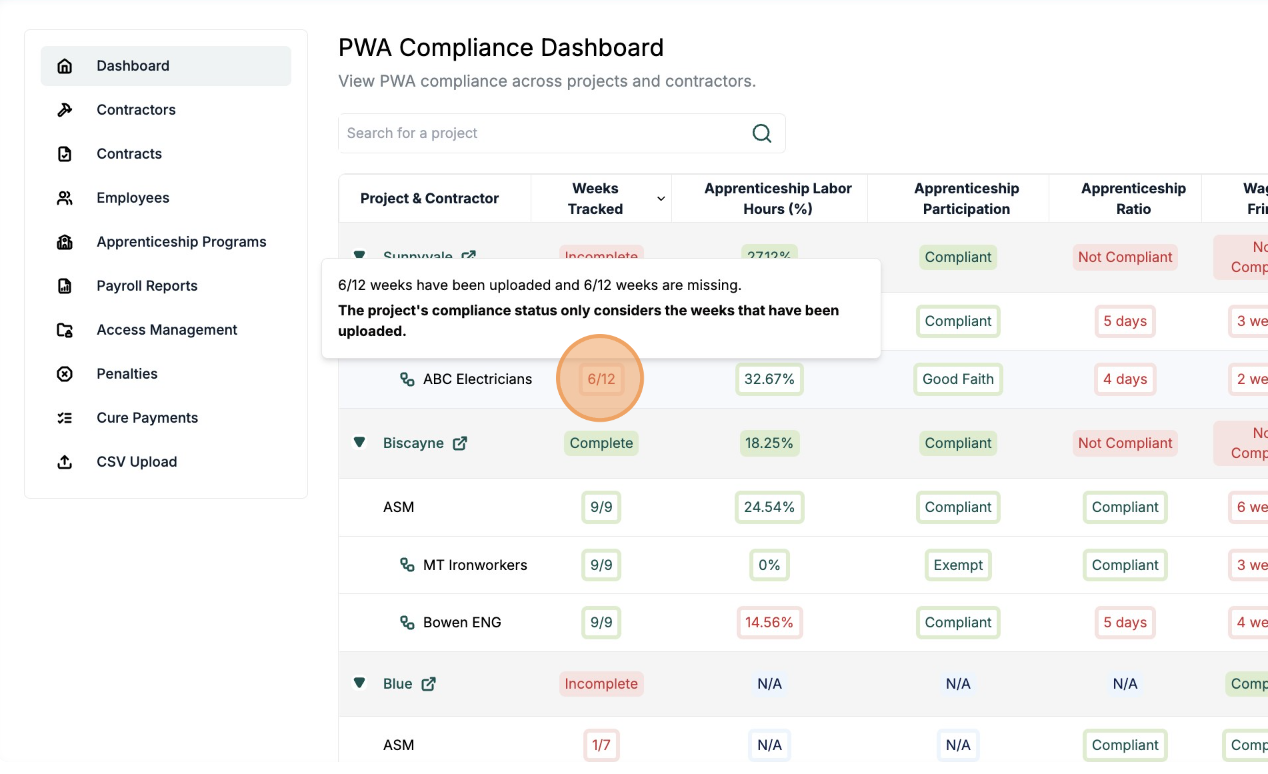
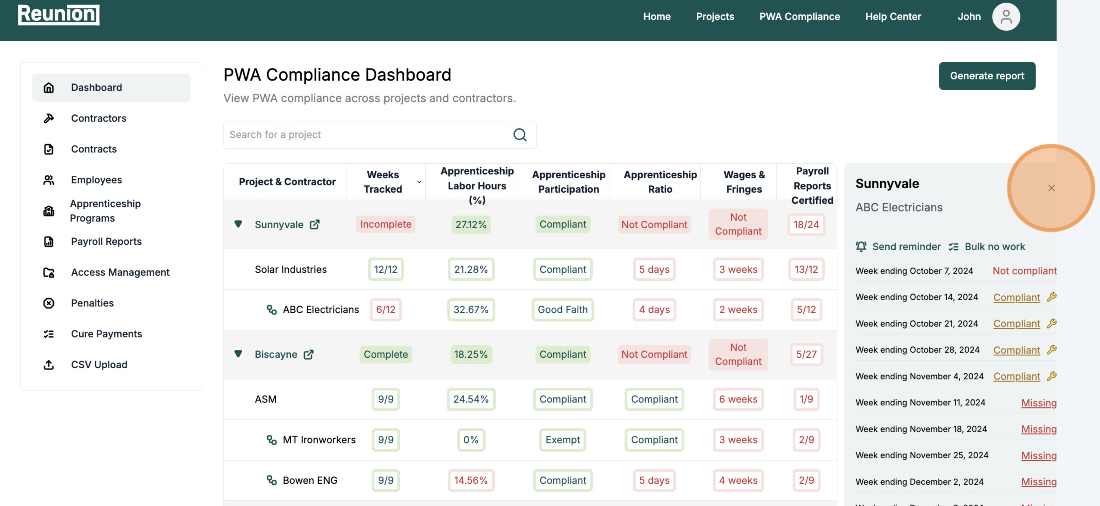
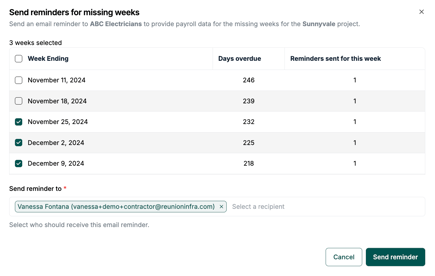
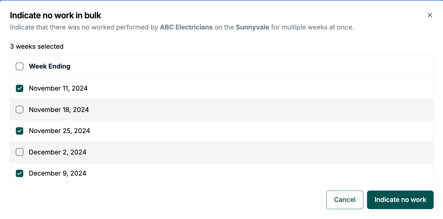
Tip: You can also click "Send reminder" to remind a user to upload a Payroll, or "Bulk no work" to mark multiple weeks having no active work.
Apprenticeship Labor Hours %
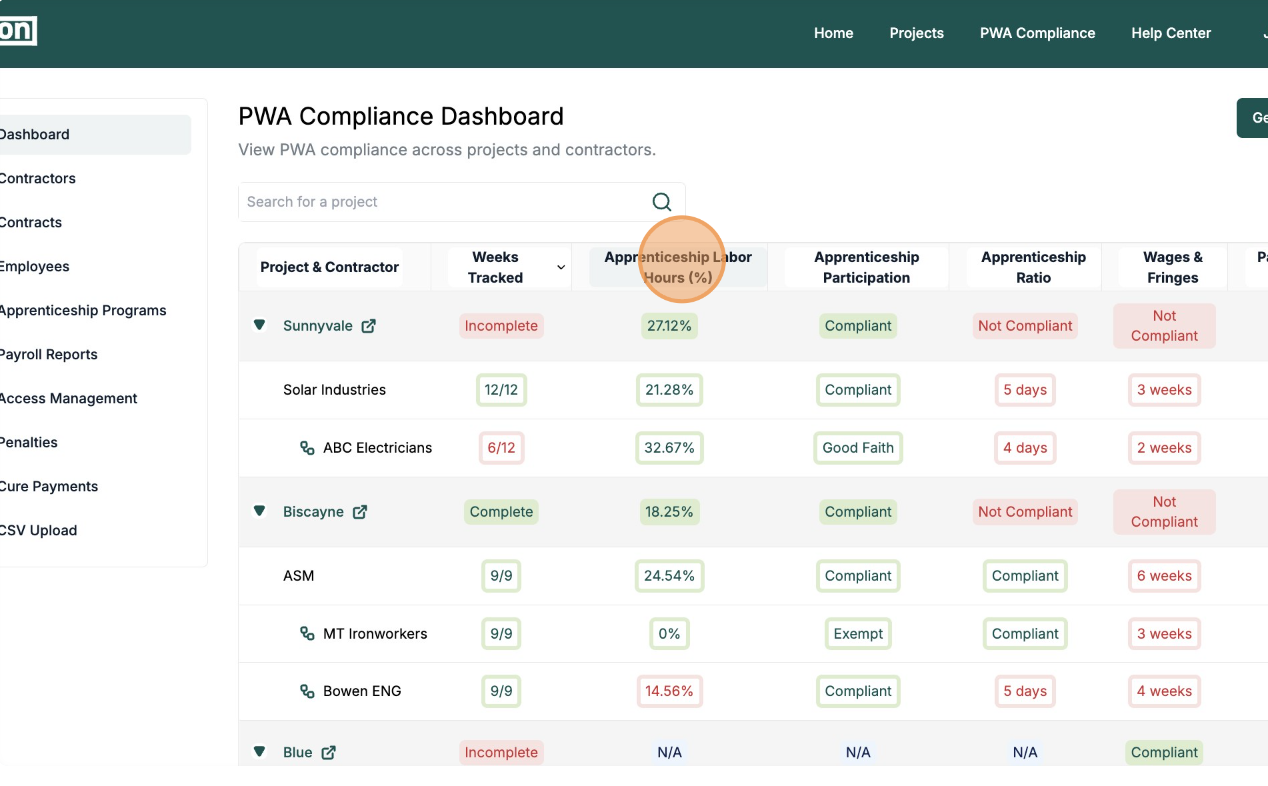
What it shows: The percentage of total labor hours performed by registered apprentices
Why it matters: Projects under the Inflation Reduction Act (IRA) often require a 15% apprenticeship threshold.
Green = On track
Yellow/Red = Below required percentage
Apprenticeship Participation
What it shows: Tracks if contractors using apprentices have submitted required apprenticeship program documentation
Why it matters: Proof of registration with a DOL-registered apprenticeship program is required for compliance.
Failure to report or prove participation can result in penalties or make the project ineligible for bonus credits.
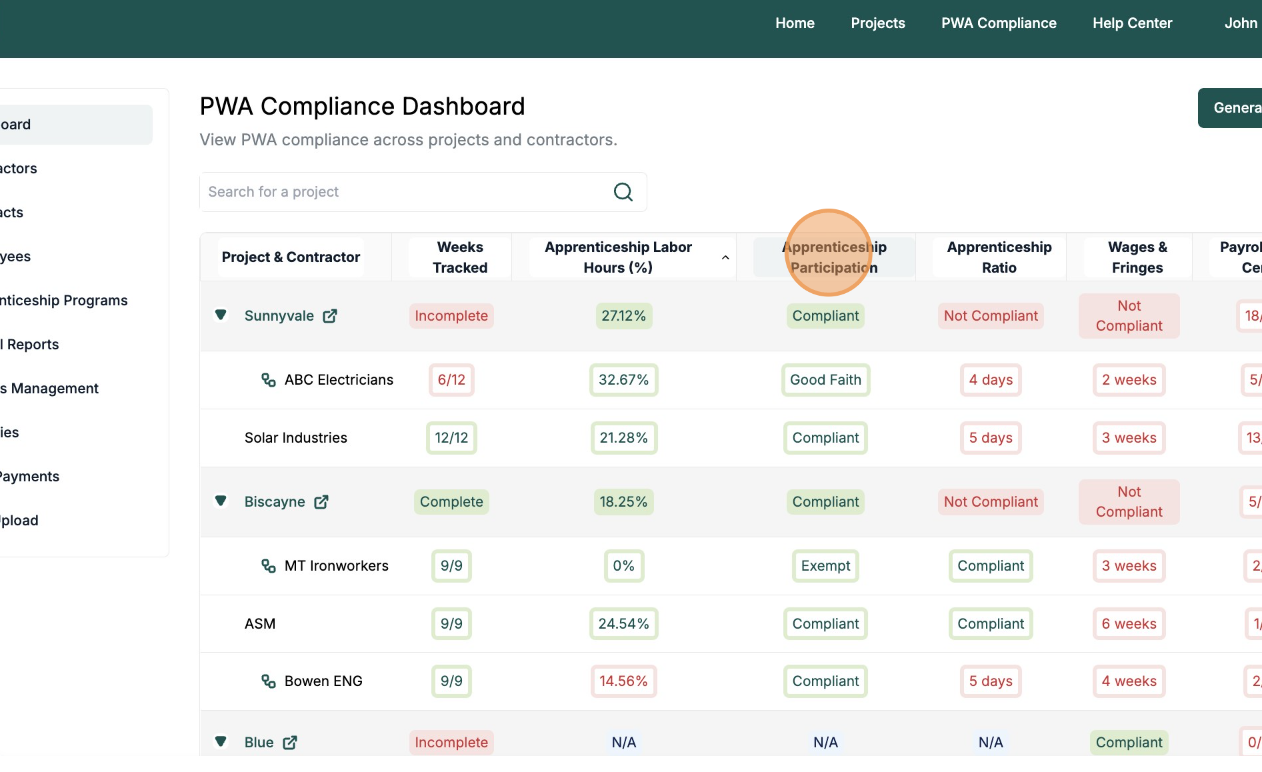
Apprenticeship Ratio
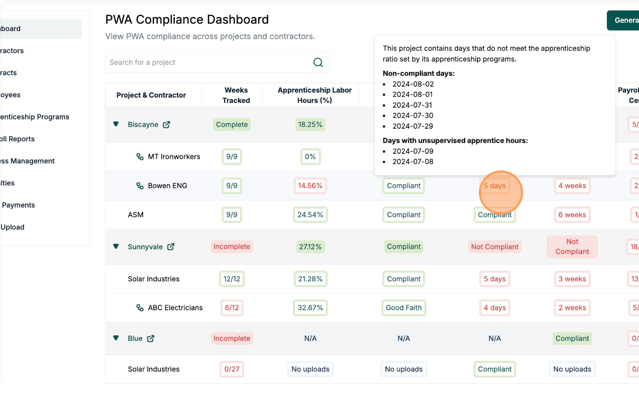
What it shows: Validates whether contractors are maintaining proper journeyworker-to-apprentice ratios
Why it matters: Many programs require a minimum number of journeyworkers per apprentice. (Ex. 1 apprentice per X journeyworkers).
Violating this may lead to DOL citations or back pay obligations.
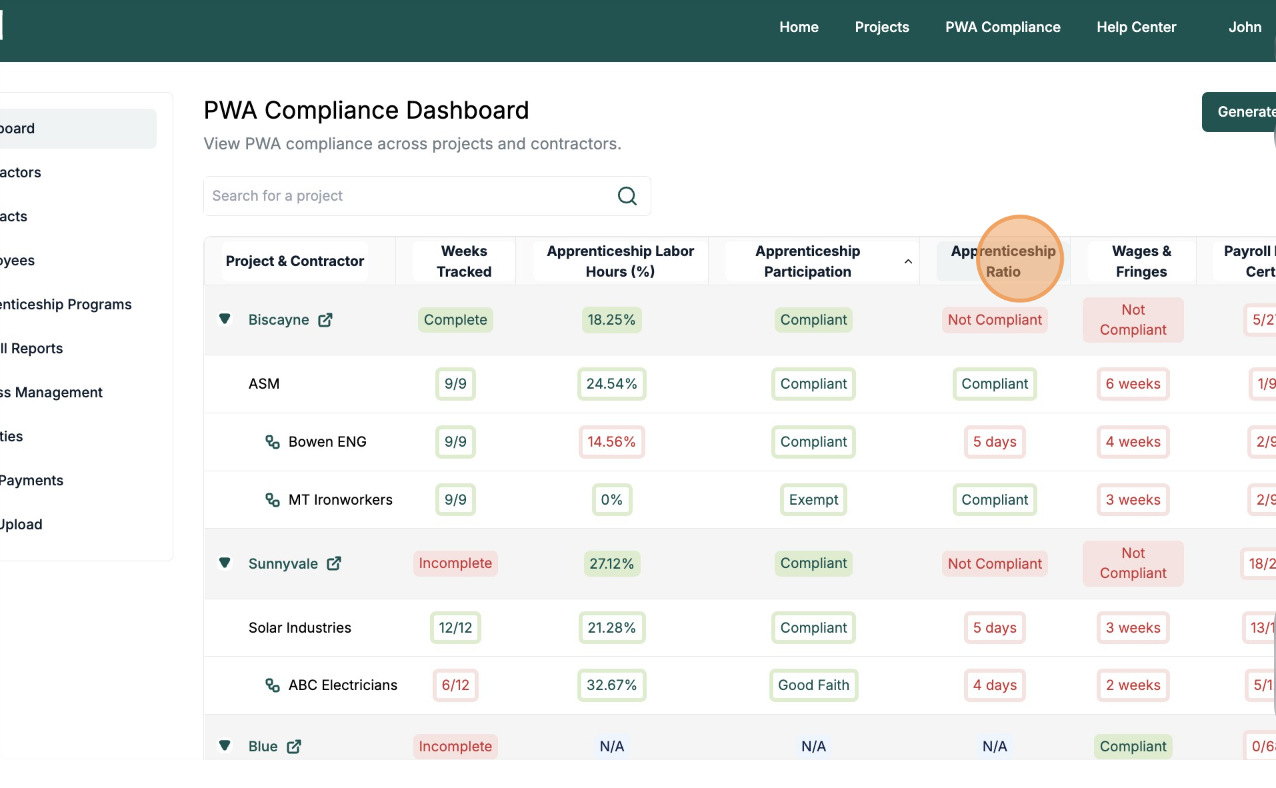
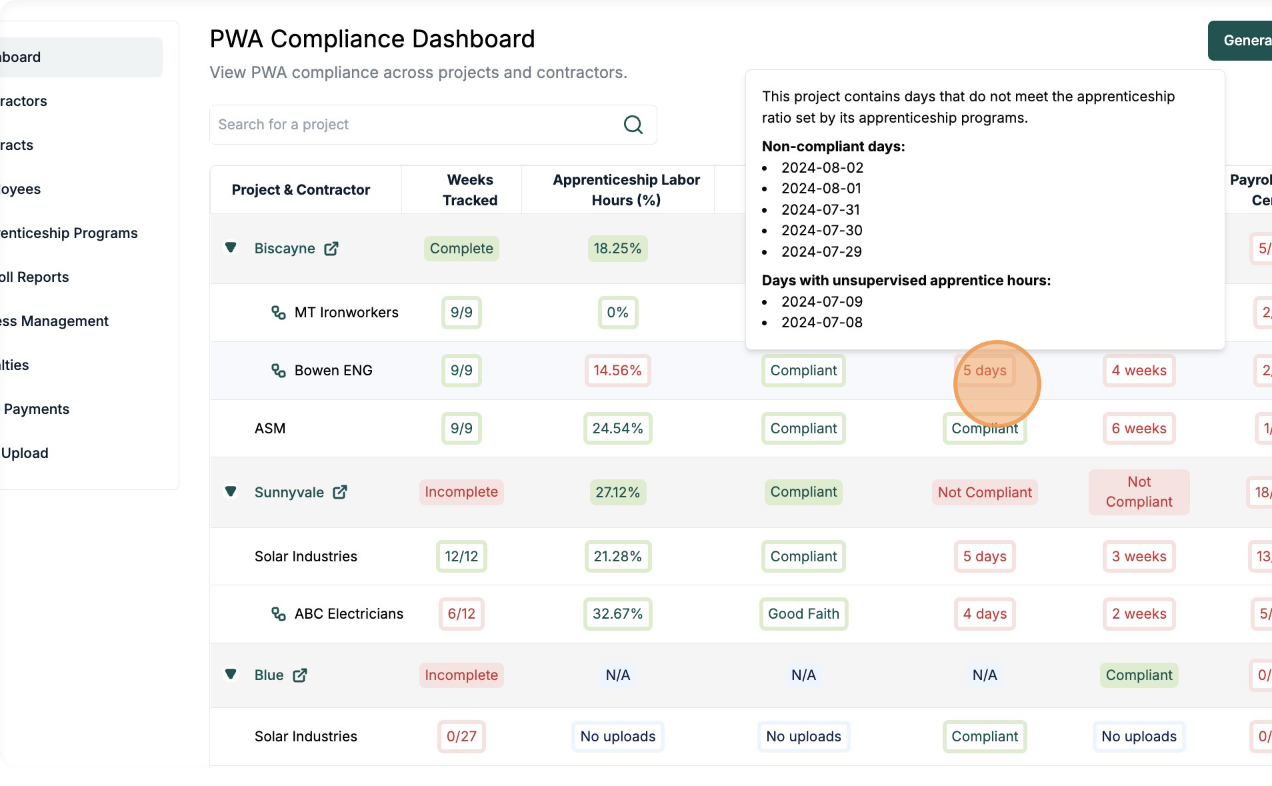
Tip: You can hover over the non-compliant days in red to get a detailed explanation.
Wages & Fringes
What it shows: Whether any workers were paid less than the required total hourly rate (base wage + fringe). These issues can be remedied through cure payments.
Why it matters: These may require action (e.g. cure payments) to bring workers into compliance.
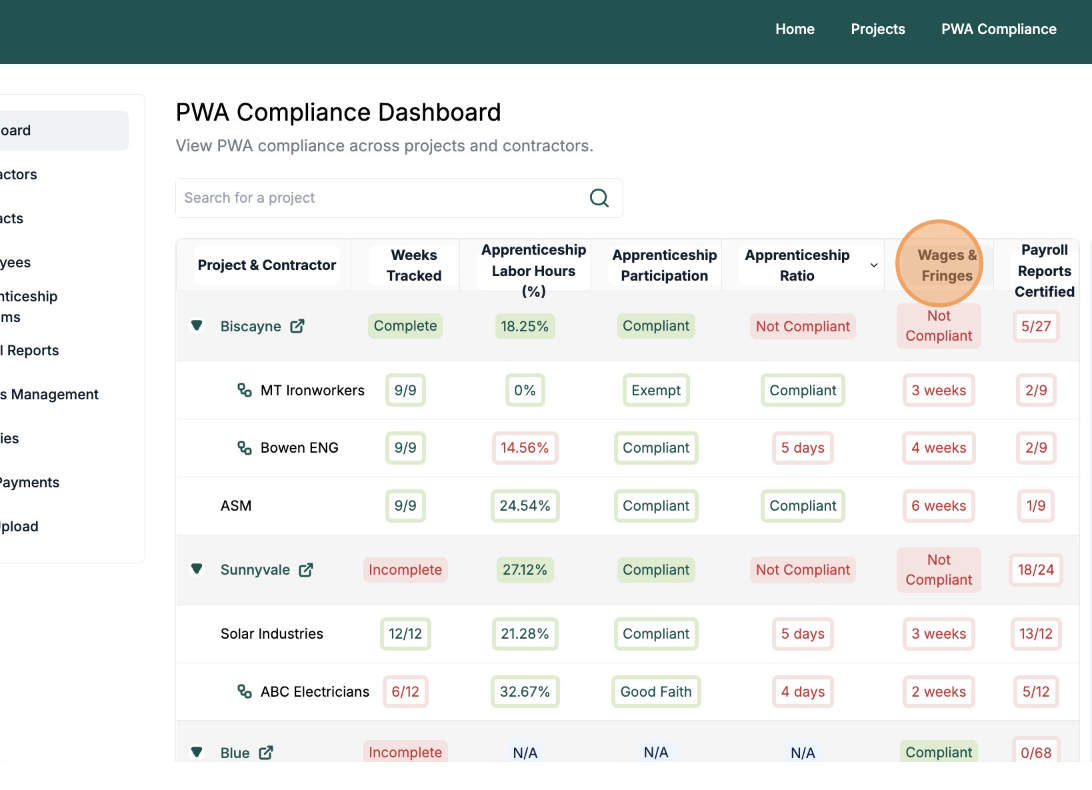
Tip: Hover over any red (non-compliant) weeks to view details, or click the week count to display all tracked weeks on the right side of the dashboard.
From there, you can access the corresponding payroll reports directly.
Payroll Reports Certified
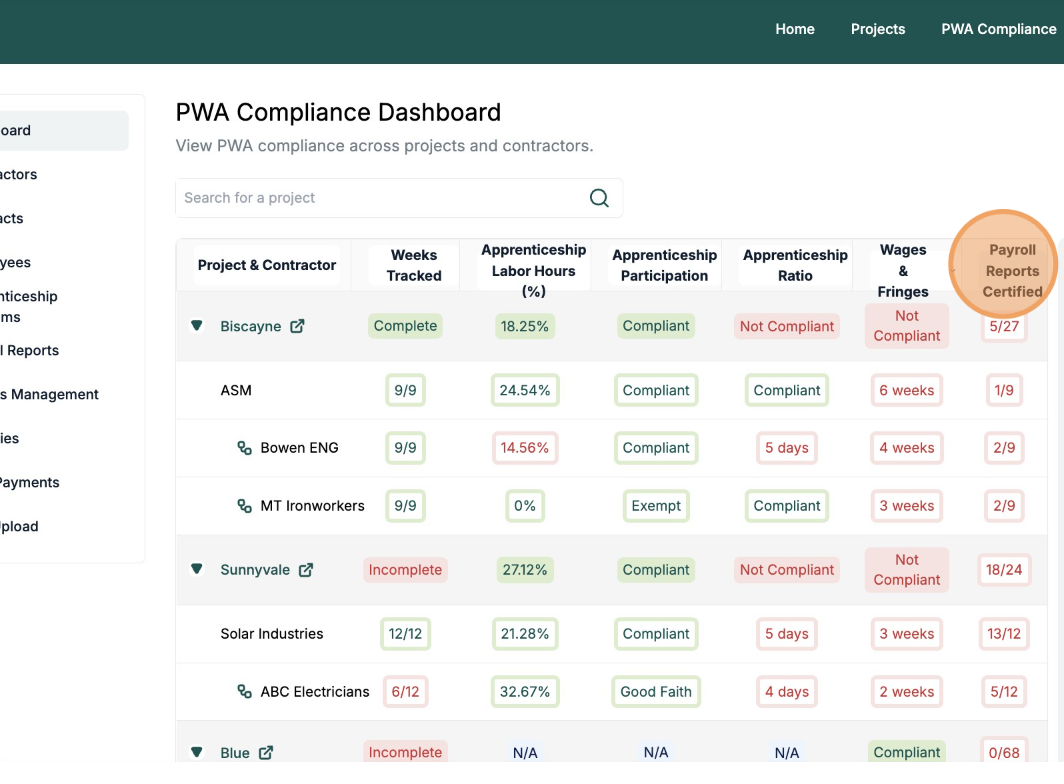
What it shows: Weekly certified payroll reports submitted vs. expected
-
-
Ex:
6/12means 6 of 12 weeks submitted
-
Why it matters: Weekly payroll submissions are required to remain compliant. Missing weeks can signal gaps in compliance or project oversight and need follow-up.
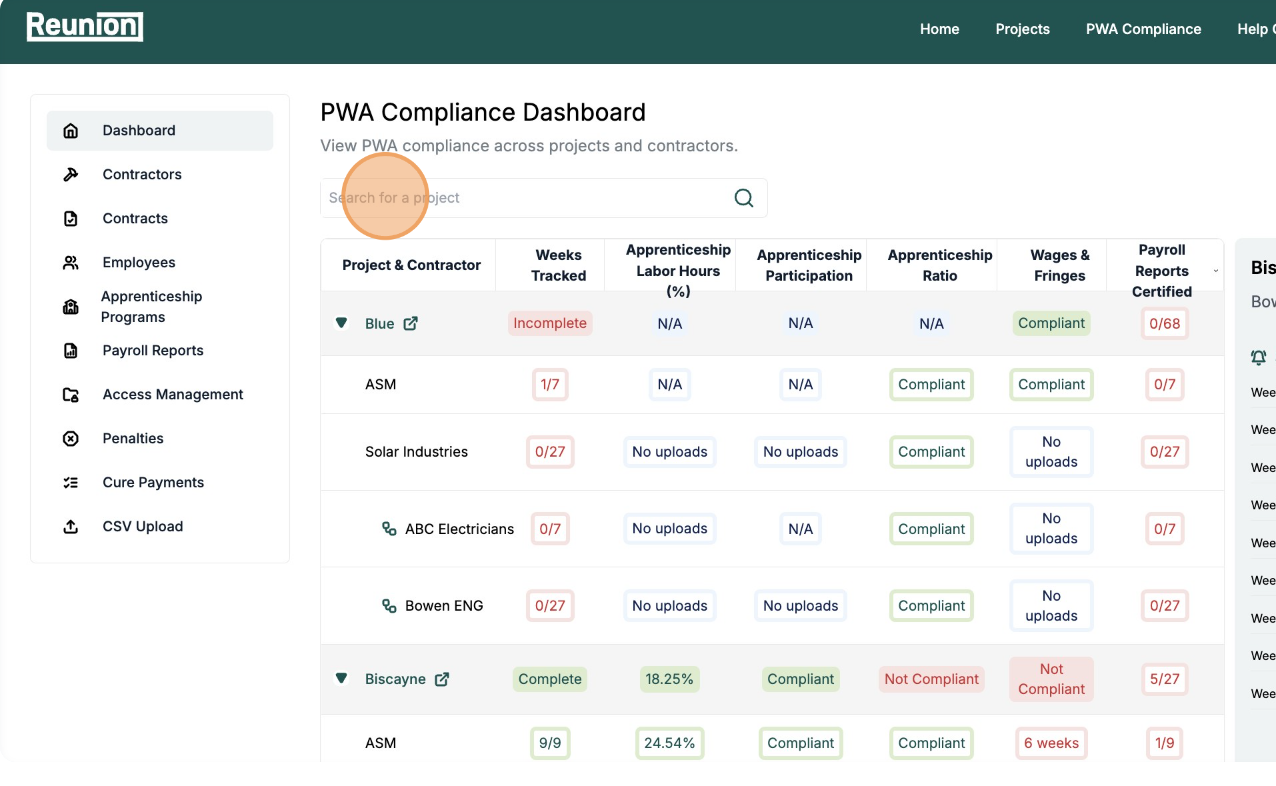
Tip: Use the search bar at the top of the dashboard to filter projects by name or contractor.
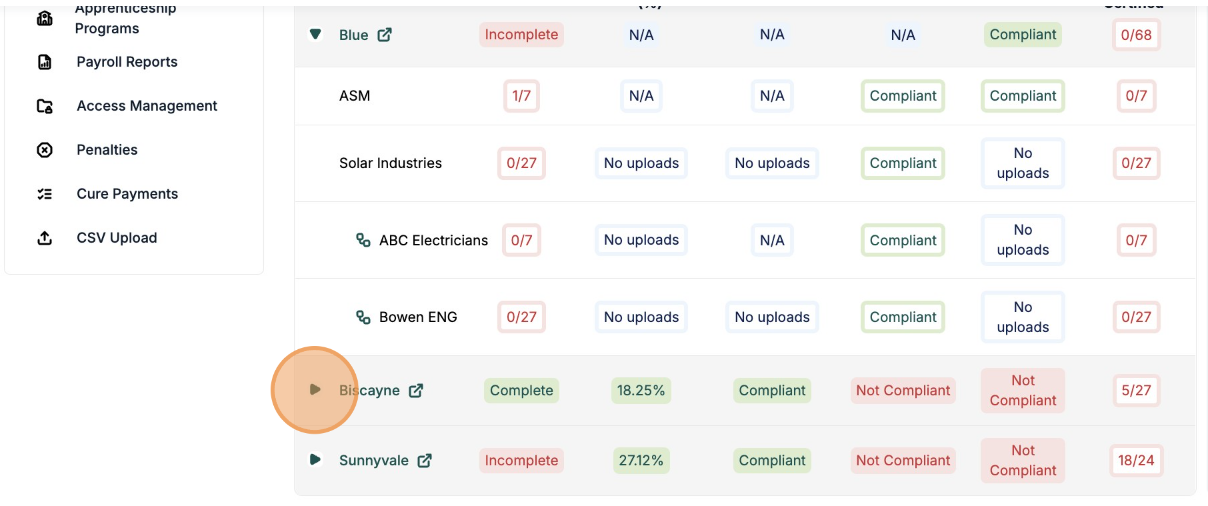
Tip: To simplify your dashboard view, click the green arrow next to a project name to expand or collapse its details. This lets you focus on one project at a time without scrolling through all projects.
Summary
The PWA Dashboard is your command center for wage and apprenticeship compliance. Each column highlights a key area to monitor:
| Column | What It Tracks |
|---|---|
| Project & Contractor | Project + subs reporting |
| Weeks Tracked | Duration of certified payroll |
| Apprenticeship % | Labor hour thresholds |
| Participation | Apprentice program documentation |
| Ratio | Journeyworker-to-apprentice compliance |
| Wages/Fringes | Underpaid workers |
| Payroll Reports | Missing/complete weekly reports |