.png?width=250&height=92&name=Reunion_Logo_White%20(1).png)
1: Navigate to the Contractors Tab
In the Reunion portfolio, go to the “Contractors” tab.

2: Click Add Contractor
Click the “Add contractor” button located at the top right of the Contractors page.

3: Add Contractor Details
Fill in all required fields for the contractor, including name, contact information, and any relevant company details.
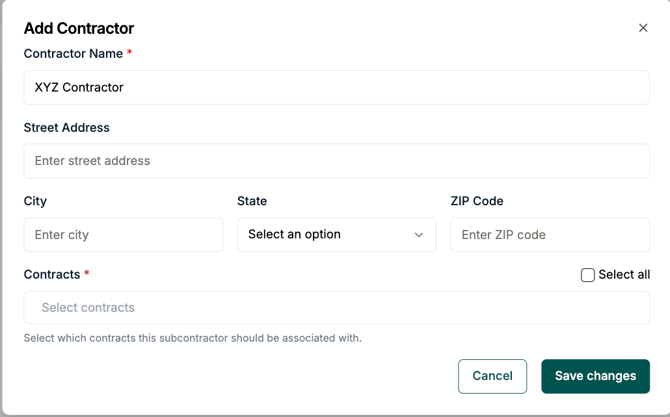
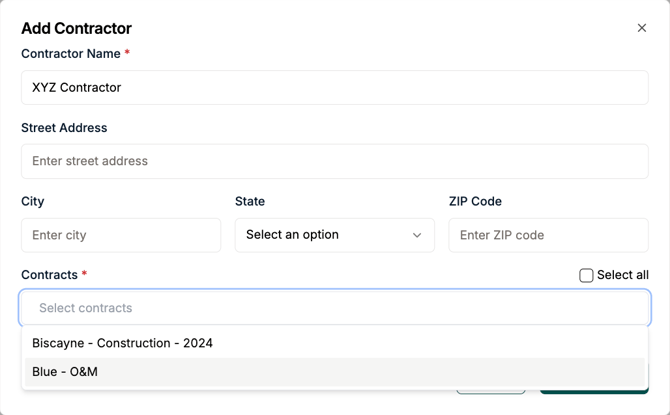
4: Associate contractor to project contract
Select the contract for the project the contractor performs labor on
5. Click Save Changes
Once all required fields are completed, click “Save changes” to finalize the contractor addition.
