.png?width=250&height=92&name=Reunion_Logo_White%20(1).png)
Applying Supplemental Rates to an Employee
After the supplemental determination is created, you can assign it to the relevant employees.
-
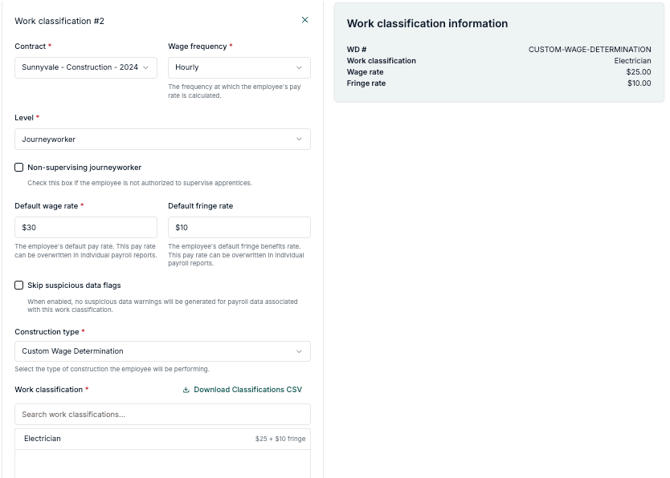
Navigate to the Employee Profile and open the Work classification editor.
-
Locate the Construction type dropdown and select Custom Wage Determination.
-
In the Work classification search bar, you will find all Supplemental Wage Determinations you created
-
Select the correct classification to link it to the employee.
-
Click Save changes.
Reminder: Always ensure the Date of Confirmation in your platform entry matches the date on your DOL approval letter, as this determines the effective date for the new wage rates.